


14 Nov How to Film Keynote Speakers for a Polished Event
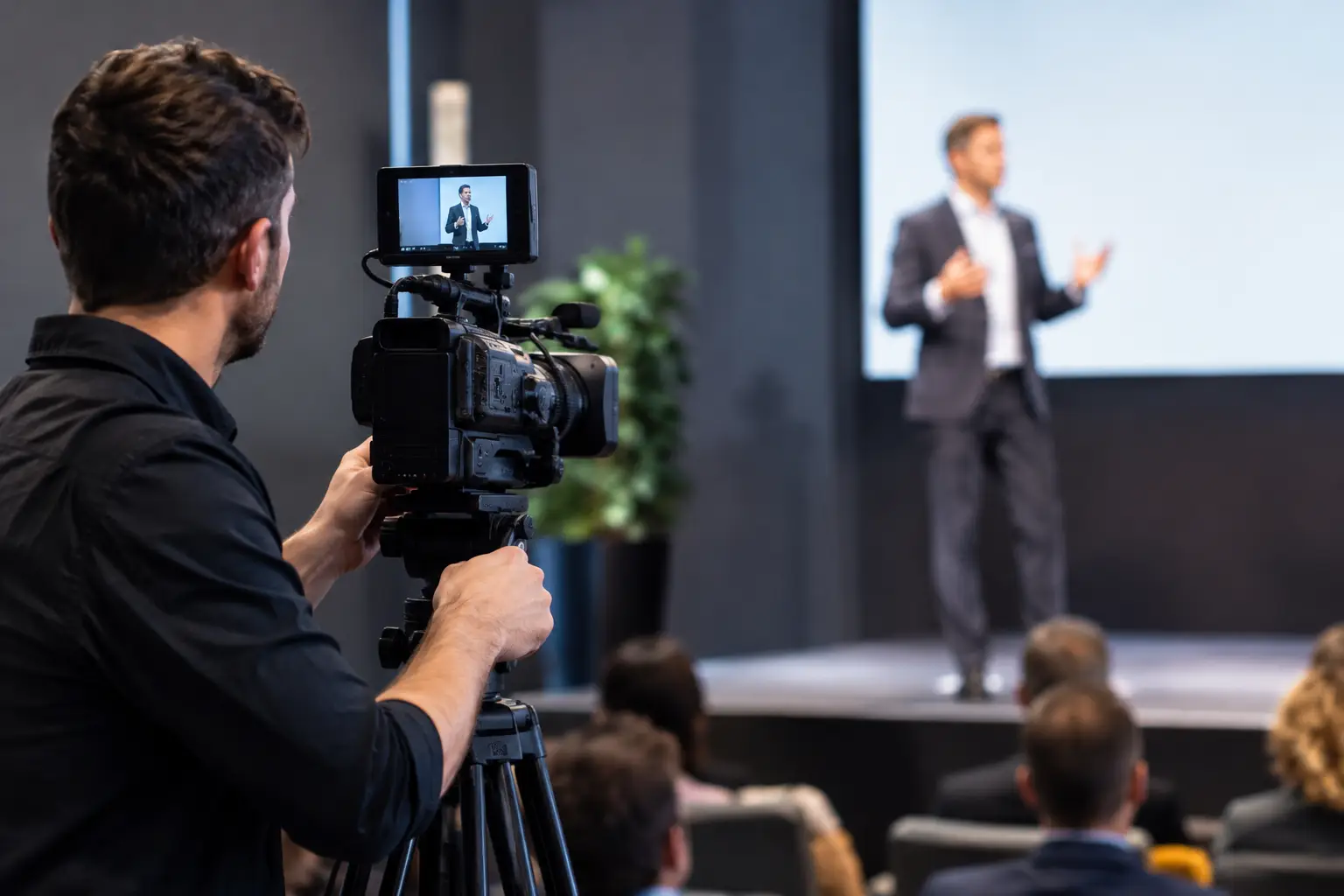
A keynote is often the moment that defines a conference. It carries the executive message, the big reveal, or the idea attendees repeat on the flight home. Knowing how to film keynote speakers means protecting that moment with more than a camera at the back of the room. It requires a deliberate production plan that makes the speaker look composed, the message easy to hear, and the final video worthy of sharing long after the ballroom clears.
For event planners and marketing teams, the goal is not simply proof that a speaker took the stage. It is a polished visual asset that can extend the event across social channels, internal communications, sales outreach, and future promotion. The difference is in the details: clean audio, intentional framing, controlled lighting, and a crew that understands the rhythm of a live program.
Start With the Keynote’s Purpose
Before selecting cameras or discussing shot lists, define what the finished footage needs to accomplish. A full keynote recording serves a different purpose than a 60-second social recap. A leadership summit may need clear, archive-ready coverage of every presentation, while a product launch may prioritize audience energy, reveal moments, and brand visuals.
Ask the event team where the video will live and who needs to see it. If the content will be repurposed for LinkedIn, recruitment, or investor communications, capture needs to support vertical and short-form edits in addition to the main widescreen program. If the keynote includes slides, product demos, or a panel conversation, plan for those elements from the beginning rather than trying to rescue them in post-production.
This decision also affects camera coverage. A single-camera recording can work for a short internal address with a fixed speaker position. For a high-profile general session, multiple cameras create the cinematic flexibility needed to move between a wide stage view, a flattering speaker close-up, audience reactions, and presentation content without disrupting the flow.
Build a Camera Plan Before Doors Open
The strongest keynote coverage is nearly invisible to attendees. Cameras should capture authority and energy without blocking sightlines, distracting the speaker, or interfering with guest movement.
Establish a dependable master shot
Every keynote needs a stable, uninterrupted wide shot. This is the editorial safety net: the full stage, speaker, screen relationship, and any essential branding are visible at all times. Position it high enough to avoid heads and traffic, but not so far away that the speaker becomes a small figure in an oversized ballroom.
For larger rooms, a riser or rear platform often provides the cleanest perspective. Confirm the location with the venue early. A late camera placement decision can create avoidable problems with power, cable runs, accessibility, and guest circulation.
Add angles with a purpose
A second camera should deliver a medium or tight shot that shows expression, gesture, and connection. This is the view that makes a keynote feel personal rather than merely documented. A third camera, when appropriate, can capture a profile angle, walk-on, walk-off, or controlled audience coverage.
Do not add cameras just to make the setup look more elaborate. Each position should solve a storytelling need. A roaming operator can bring welcome energy to an awards program or product reveal, but constant movement during a serious executive address may feel intrusive. It depends on the speaker, venue, and tone of the event.
When possible, coordinate with the speaker in advance. Some presenters stay planted at a lectern. Others pace the entire stage, turn toward screens, or bring guests onstage. Knowing their style helps the camera team anticipate moments rather than chase them.
Treat Audio as the Non-Negotiable
Guests may forgive a brief visual imperfection. They will not stay with video they cannot hear. Clear sound is the foundation of professional keynote coverage.
The preferred approach is a direct feed from the venue’s audio board, recorded independently whenever possible. This captures the keynote microphone more cleanly than relying on a camera-mounted mic from across the room. But a board feed alone is not always enough. It may omit room ambience, audience applause, walk-on music, or video playback audio.
A complete audio plan usually includes the direct feed plus backup recording and an ambient microphone positioned to capture the room’s response. Applause, laughter, and the quiet anticipation before a major announcement give the edit dimension. They make the viewer feel the scale of the room.
Schedule an audio check before guests arrive, not during the first speaker introduction. Test every microphone the presenter may use, including handhelds for audience Q&A. Confirm whether playback audio from keynote videos is routed through the board. A beautiful stage image paired with distorted music or missing demo sound immediately lowers the perceived quality of the final piece.
Design Lighting for the Camera, Not Just the Room
Event lighting can be dramatic in person and difficult on camera. Deep blue washes, moving lights, bright LED walls, and shifting spotlights all affect skin tones, exposure, and the visibility of branded backdrops.
Work with the lighting designer or audiovisual team during production planning. The speaker’s face should have a consistent, flattering key light that does not disappear when the room changes color. If there is an LED screen behind the presenter, test exposure carefully. Cameras often need to balance a bright screen against a darker human subject, and the wrong settings can leave the speaker underexposed or the screen blown out.
Avoid relying on harsh overhead house lights whenever possible. A controlled front wash creates a more editorial result, especially for executive presentations, awards, and branded thought-leadership content. If the room is intentionally moody, protect enough light on the speaker to preserve facial detail while keeping the atmosphere intact.
Capture the Event Around the Speaker
A keynote is not only a person speaking onstage. It is also the arrival, the anticipation, the room full of people listening, and the reaction after a statement lands. These supporting shots give an edit momentum and context.
Plan to capture venue exteriors or establishing shots, registration details, branded signage, audience arrivals, stage graphics, and candid reactions. Film applause with enough variation to use naturally in an edit: wide room energy, hands clapping, a focused reaction, and the speaker receiving the moment. For corporate conferences, these images also help marketing teams demonstrate attendance, engagement, and brand presence.
Be selective with audience coverage. Guests should look engaged and polished, not caught mid-bite, mid-blink, or scrolling on a phone. A skilled event videography team reads the room and finds genuine moments without making attendees feel observed.
Plan for Slides, Screens, and Playback Content
If slides carry data, quotes, or product visuals, filming the projection screen from the audience is rarely the best answer. Whenever possible, obtain the presentation deck or a direct program feed. This gives editors a clean version of the visuals to incorporate alongside the speaker footage.
The same applies to prerecorded keynote videos, product demonstrations, and walk-on graphics. Coordinate with the audiovisual provider to capture these assets cleanly and verify aspect ratios in advance. A screen may look correct in the room yet create flicker, moire patterns, or unreadable text on camera if it has not been tested.
For speakers who use slides sparingly, prioritize their performance. For data-heavy presentations, the edit may need to move more often between the presenter and the slide content. The right balance keeps the audience connected to the person delivering the message while ensuring the information remains usable.
Create a Calm, Professional Production Environment
Live events change quickly. A speaker runs late, a panel adds an extra chair, a venue restricts a camera position, or the program begins ten minutes early. The right crew prepares for those variables without creating stress for the client team.
Build time into the schedule for a venue walkthrough, camera setup, lighting and audio tests, and a final check of presentation cues. Assign clear communication channels between the event producer, audiovisual lead, stage manager, and video team. A simple cue for walk-ons, surprise announcements, or award reveals can make the difference between capturing a decisive moment and missing it.
Professional appearance matters here, too. Camera operators should blend into the event environment, communicate with venue staff respectfully, and move with purpose. At a luxury gala or executive conference, production is part of the guest experience. Precision behind the scenes protects the polished atmosphere in front of the camera.
Edit for the Way People Watch Now
The full keynote recording remains valuable, particularly for internal teams, paid attendees, and educational programming. But the most shareable content often comes from shorter, intentional edits.
Look for a compelling opening line, a memorable quote, a decisive announcement, or an audience reaction that conveys the room’s energy. Pair it with clean branded visuals and captions where appropriate. Short clips should feel complete on their own, not like random fragments pulled from a longer recording.
Color correction, audio cleanup, and thoughtful pacing are what turn event footage into a high-end brand asset. Keep graphics aligned with the event identity and avoid over-editing a speaker’s message. The objective is clarity with visual presence, not effects for their own sake.
A keynote may last an hour, but its strongest message can continue working for months. With a thoughtful production plan, professional audio, and cinematic coverage that respects both the speaker and the room, the stage becomes more than a scheduled program item. It becomes content that keeps the event’s momentum moving forward – the standard Pic Station brings to every carefully produced visual experience.